Steplab
Section outline
-
How do I log in to Steplab
Steplab should only be accessed from the MyECT homepage. Please log in to your MyECT account, click the person icon in the top right hand corner and choose Steplab.
.
I cannot access any self study modules
After you have completed your Steplab Access Form, it takes a little while for your self study modules to be released. If you are unable to access the modules after a week, please email contact@ambition.org.uk and they will be able to help.
...
What is the difference between logging coaching and a drop-in
Coaching is where the observation is logged and the ECT's development focus is selected. A drop-in is a top up to this - you can use it to give your ECTs extra feedback on their current development focus or positive feedback.
.
I forgot to log a coaching session on Steplab, can I add this now?
Yes. Additional coaching sessions can be logged on Steplab using the 'coach again' function. Guidance on how to use this function can be found here.
...
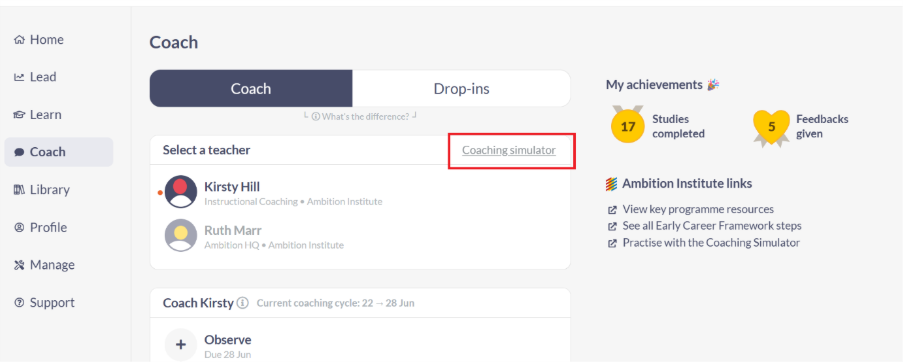
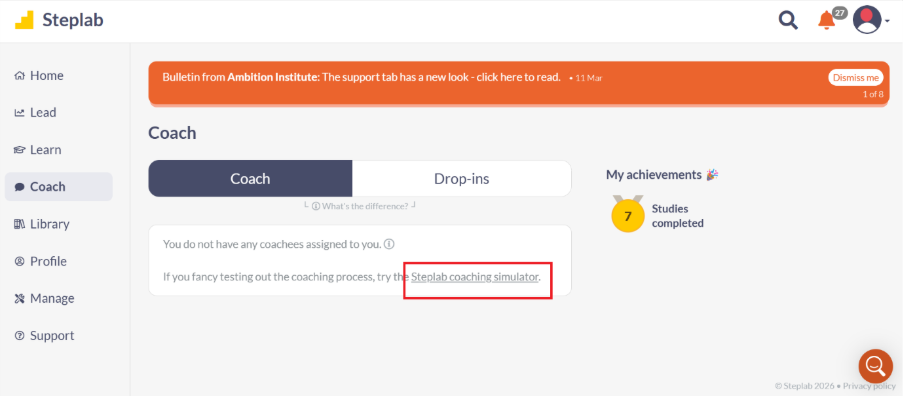
Coaching simulator
The coaching simulator is available on Steplab to all mentors, even those who are not yet assigned to their ECT, and can be found on the 'Coach' tab. The tool can be used to practise instructional coaching as soon as you have access to Steplab, or as a refresher for experienced mentors, and can be used in combination with the support provided in the mentor orientation course to ensure you are prepared for your role.
...
Steplab Knowledge Base
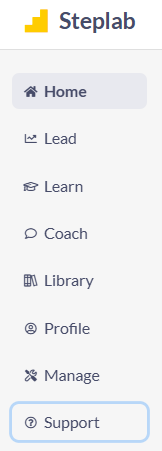
Steplab has a useful support section, providing answers to frequently asked questions for ECTs, mentors and induction tutors, as well as a helpful search function at the top of the page. Find the 'Support' section in the left hand menu of the Steplab homepage.
.
I am leaving my school at the end of term, how do I show what I have already studied?
To make sure you have a record of the content you have already studied, you can download a 'learning log' from Steplab by following the steps below.
- Login to Steplab via MyECT
- Go to 'Profile'
- Click on 'Explore my Portfolio'
- Under the 'Export Portfolio' section, click on 'Begin the export'
...
For Induction Tutor specific Steplab FAQs click here.
.
Ambition have shared video versions of their Steplab training, each of which focuses on what a participant in their role needs to know and do on Steplab. Please use the links below to access the video appropriate to your role.